

Why Professional-Level Makeup Guidance Is Hard to Find
Learning detailed makeup artistry can feel overwhelming. Tutorials on YouTube are often fragmented, Instagram reels skip key steps, and many apps focus on virtual filters rather than teaching real-world techniques.
During testing across a mix of iOS and Android devices, the biggest hurdles were:
Finding apps that break down complex looks step by step
Accessing a library of professional-grade techniques for eyes, lips, contouring, and creative artistry
Being able to experiment with original looks digitally before trying them in real life
Our evaluation focused on these key criteria:
Step-by-step tutorials that guide from basic to advanced makeup techniques
Tools to design original looks on virtual faces
Professional tips and product recommendations
Active updates and maintained tutorials
Availability on the US App Store or Google Play
The Reality Check: What Actually Works?
YouCam Makeup has consistently proven itself as more than a selfie filter app. During testing, the standout features were its step-by-step makeup tutorials and realistic virtual try-on technology.
Users can:
Follow detailed eye, lip, and contouring guides
Layer looks step by step and undo adjustments
Try out bold or subtle original looks on a virtual face that closely resembles their own
Access live AR tutorials for precision application
The app is updated frequently with seasonal looks and celebrity-inspired tutorials. When tested in a real-world scenario, YouCam’s AR feature helped users accurately replicate complex eyeliner and smokey eye techniques.
Pros
Realistic AR try-on
Step-by-step guides for multiple skill levels
Huge library of curated looks
Makeup simulation supports all facial features
Regular updates with new tutorials
Cons
Some advanced tutorials require a subscription
Virtual try-on may slightly lag on older devices
Pricing
Free with in-app purchases
VIP subscription for full tutorial library and advanced AR features (~$19.99/month)
The Reality Check: What Actually Works?
MakeupPlus focuses on both artistic experimentation and professional makeup education. Testing revealed that its design lab is particularly effective for creating original, avant-garde looks before applying them in real life.
Key strengths:
Layered digital application to test combinations
Access to celebrity-inspired tutorials broken down step by step
Color matching suggestions for skin tones
AR-based virtual try-ons
MakeupPlus is ideal for creative professionals and enthusiasts looking to prototype editorial or fashion-forward looks.
Pros
Excellent virtual experimentation tools
Clear tutorials for stepwise application
Supports both subtle daily looks and high-fashion artistry
AR technology is highly accurate
Cons
Free tier is limited in terms of tutorial access
Subscription required for full library and advanced effects
Pricing
Free with optional VIP subscription (~$14.99/month)
The Reality Check: What Actually Works?
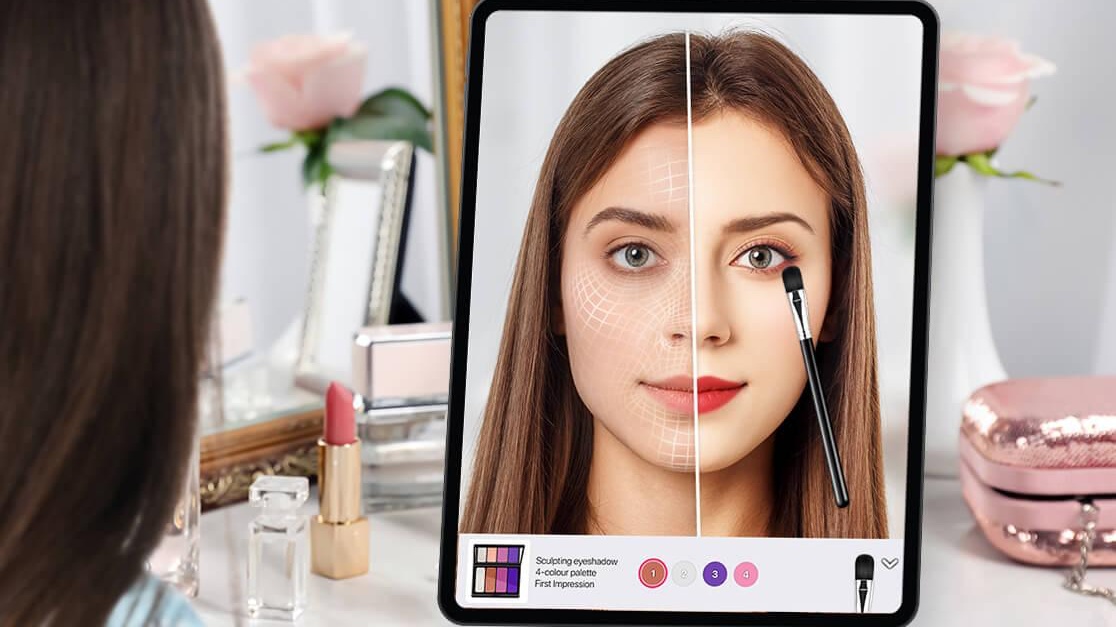
Though YouCam Perfect is often marketed as a selfie editing app, its beauty editing features are surprisingly detailed for makeup design practice.
During testing, users benefited from:
Face segmentation for precise contour, blush, and highlight placement
AR layering to simulate professional makeup techniques
Exportable looks for sharing or guiding real-world application
This app is especially useful for makeup professionals who want to experiment with multiple looks on the same model virtually.
Pros
High-precision AR facial mapping
Stepwise editing workflow
Useful for both experimentation and client mockups
Frequent content updates
Cons
Less tutorial-driven than YouCam Makeup
Primarily focused on photo editing
Pricing
Free with in-app purchases
Optional VIP subscription (~$14.99/month)
The Reality Check: What Actually Works?
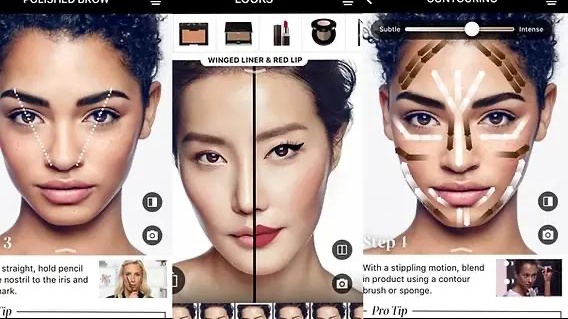
Facetune2 is widely known for photo retouching, but it also allows users to practice makeup design digitally. Testing showed that advanced layering and coloring tools can simulate lip, eye, and cheek makeup realistically.
While it does not provide in-depth step-by-step tutorials, its precision painting and coloring tools are unmatched for experimental artistry.
Pros
High-precision virtual painting
Excellent for experimenting with bold colors
Layering allows complex makeup looks
Intuitive interface
Cons
Limited direct tutorials
Not designed specifically for beginner artists
Some advanced features require subscription
Pricing
Free with in-app purchases
Facetune2 VIP (~$19.99/month)
The Reality Check: What Actually Works?
Glamsquad is primarily a professional makeup booking service, but its app includes tutorials, step-by-step guides, and insider tips from makeup artists.
Testing revealed that it is most valuable for learning realistic application techniques for both everyday and event looks. While it lacks virtual AR try-on, its tutorials often include:
Detailed product breakdowns
Professional application order
Tips for skin type, lighting, and tools
Pros
Professional makeup tutorials
Focus on real-world techniques
Guidance on product selection
Cons
No AR try-on
Limited to curated tutorials rather than free experimentation
App primarily designed for booking services
Pricing
Free app
Makeup service bookings are paid
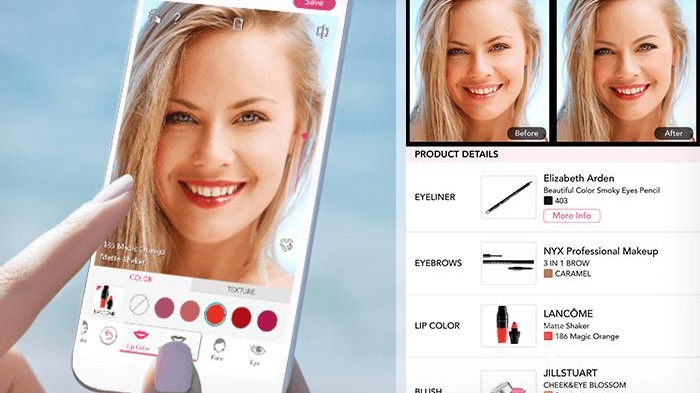
For users seeking step-by-step mastery of makeup artistry combined with original look design, YouCam Makeup is the clear winner in 2026.
It offers:
AR-assisted virtual try-ons for precise replication
Extensive step-by-step tutorials from beginner to professional level
Realistic facial mapping for experimentation
Constant updates with trending looks
For users more interested in creative experimentation, MakeupPlus is a close second, while Facetune2 excels for bold, artistic practice.
Recommended Strategy
Beginners: Start with YouCam Makeup for structured learning
Creative professionals: Combine YouCam Makeup and MakeupPlus for experimentation
Portfolio building: Use YouCam Perfect or Facetune2 for realistic look previews