

Whether you’re a hobbyist woodworker dreaming of a dedicated miter saw station or a creative professional setting up a high-end photography studio, transforming a messy garage or spare room into a functional workspace is no small feat. The biggest trap isn’t the heavy lifting—it’s the “measure twice, regret once” moment when you realize a workbench is bolted in the wrong place, and moving it feels like an Olympic event.
Thankfully, planning apps can save you hours of frustration. But not all are created equal. When evaluating the current crop, we looked for tools that go beyond pretty 3D renders. We focused on apps that manage scale, spatial flow, and the placement of bulky equipment. These are the ones that let you visualize exactly how your tools fit, ensuring enough clearance for a table saw feed or room to swing a tripod without knocking over your lighting rig.
Planner 5D remains a powerhouse for anyone needing “millimeter-perfect” layouts. Testing it with a hypothetical woodworking shop, we found the drag-and-drop interface surprisingly intuitive. Moving heavy machinery like a band saw or router table feels effortless, even without a design background. Switching between a top-down 2D blueprint and an immersive 3D walkthrough is seamless, allowing you to verify that your tool placement actually works in real life.
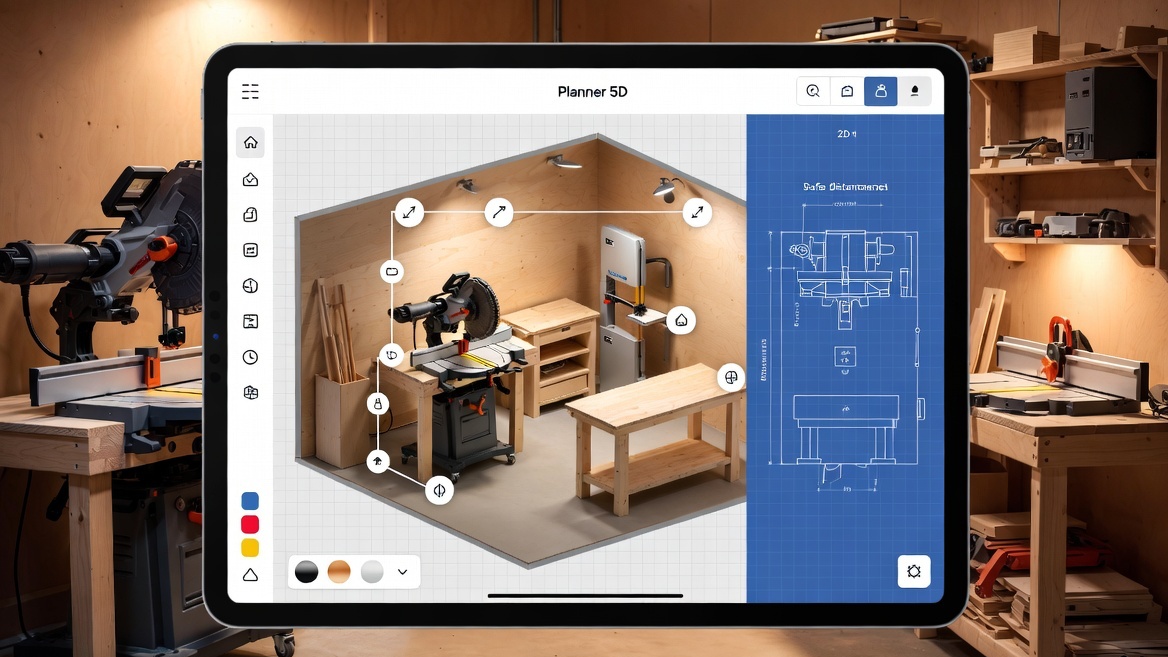
Reality Check: The smart measurement tools are where Planner 5D really shines. The app flags clearance issues, ensuring you maintain safe distances between equipment—an often overlooked but critical detail for both productivity and safety.
Pros:
Accurate 2D and 3D mode switching
Extensive library of furniture and placeholder equipment
Excellent for visualizing lighting and textures
Cons:
Free version is limited; subscription required for full catalog
May be overkill for quick sketches
If your workshop is an empty garage or a cramped storage space, magicplan is a time-saver. Instead of manually measuring with a tape, this app leverages your device’s camera—and LiDAR on Pro-tier devices—to scan a room and generate an editable floor plan in seconds. During our tests, this process saved at least 30 minutes compared to traditional measuring. It excels at documenting tricky details, such as structural pillars or awkwardly placed outlets, which can influence your layout decisions.
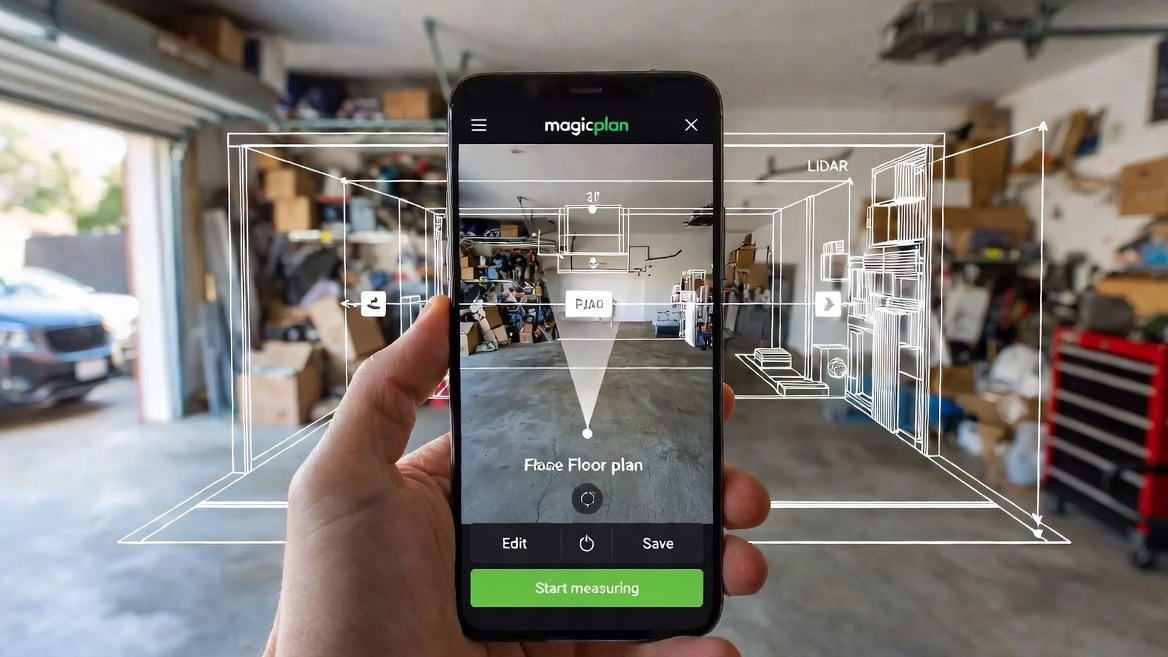
Reality Check: magicplan is more functional than flashy. It’s not designed for mood boards or décor planning but provides a solid, accurate foundation for designing your workshop.
Pros:
Scans rooms instantly
Real-time dimension editing
Handles irregular room shapes with ease
Cons:
Limited aesthetic design tools
Some advanced features are geared toward professionals, not casual hobbyists
RoomSketcher shines when you want to evaluate room “flow.” In creative studios, this distinction is crucial—poor flow can turn an otherwise productive day into a frustrating one. Its Live 3D mode is arguably the best on the market, letting you fly through your proposed workshop to check for ergonomic issues, such as whether your workbench is too far from tool storage. It feels professional yet approachable, making it ideal for those who want polished plans to share with contractors or save for personal reference.
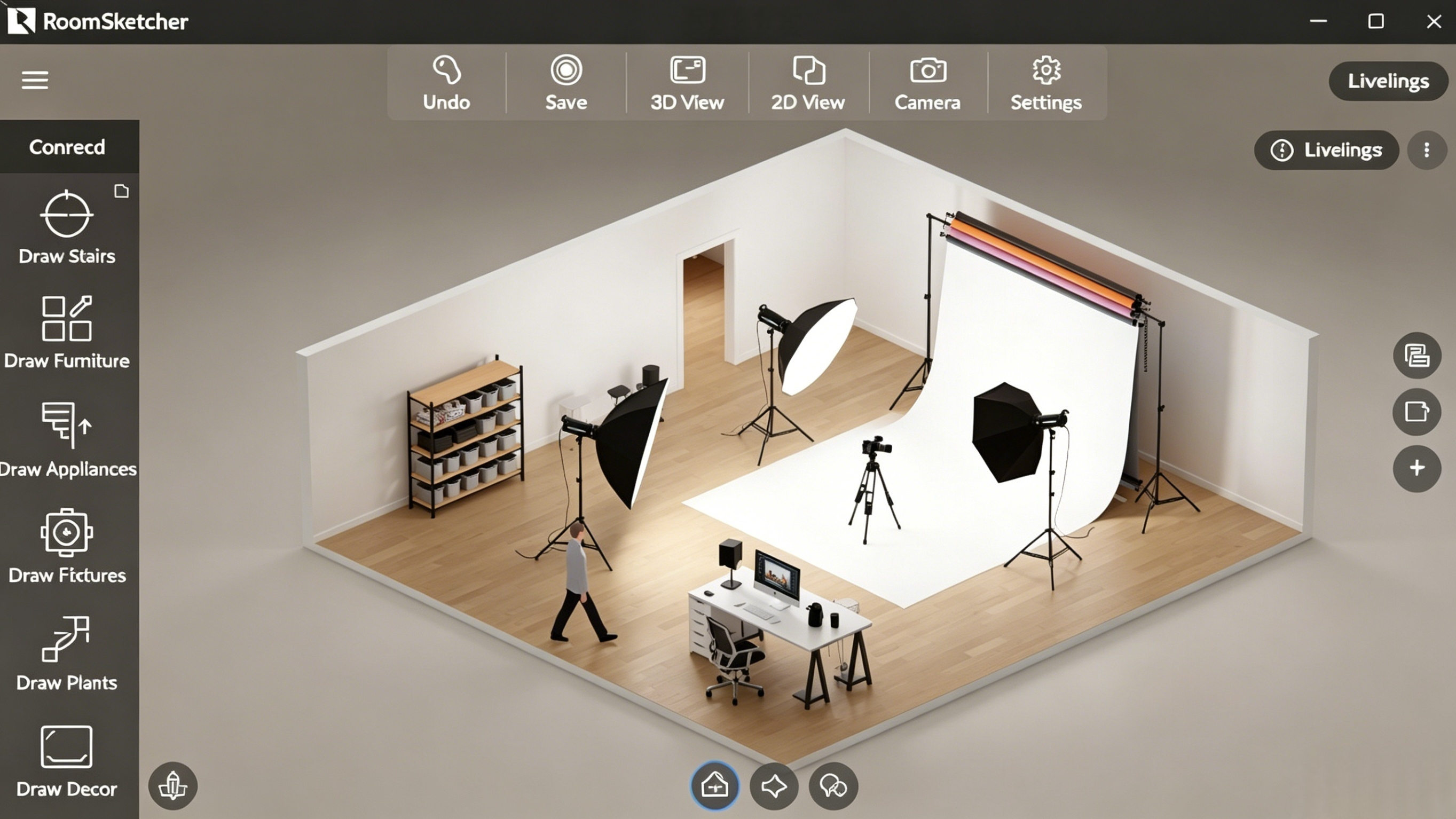
Reality Check: The app is forgiving. Move a wall or resize a window, and the 3D model updates instantly—perfect for exploring “what-if” scenarios, like sacrificing a closet for more workspace.
Pros:
Highly responsive Live 3D mode
Works offline, ideal for basements or signal-dead zones
Professional-grade 3D snapshots
Cons:
Premium features, like high-res 3D photos, require in-app purchases
Steeper learning curve than simpler sketch apps
Suffering from “blank canvas syndrome”? Home Planner AI is your solution. Feed it your room dimensions, and it generates layout suggestions based on your goals. For example, when we input a standard two-car garage, the app suggested creative zoning—separating “dirty” woodworking areas from “clean” assembly zones. It’s a great starting point for those who aren’t naturally inclined toward interior design.
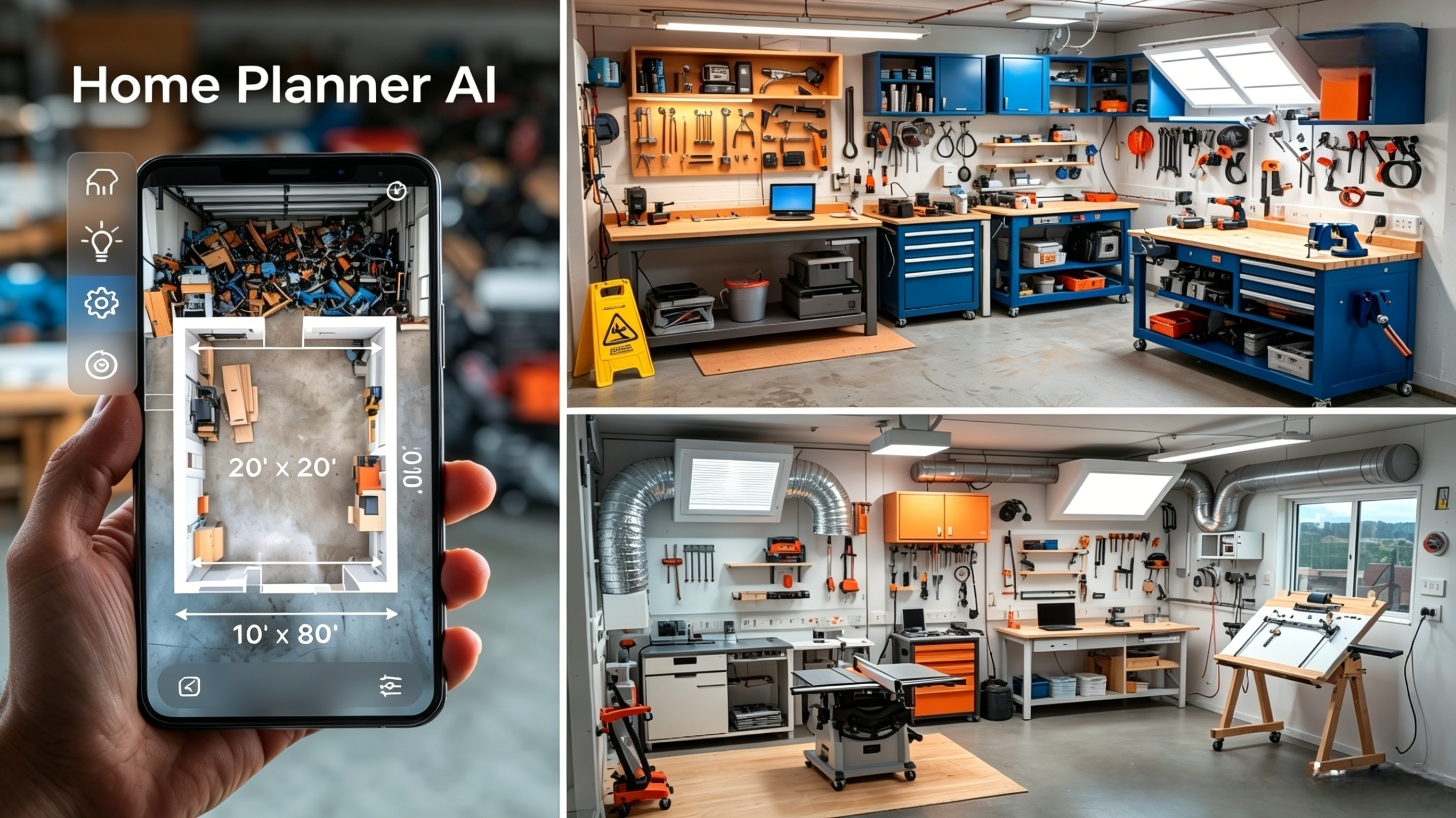
Reality Check: AI suggestions are a starting point, not a final design. You’ll still need to tweak placements for specific tools, ventilation, or electrical needs. But it eliminates the paralysis of starting from scratch.
Pros:
AI-generated layouts save time
Great for inspiration on spatial organization
4K renders provide a realistic preview
Cons:
Subscription-heavy for full access
AI can occasionally propose layouts that ignore practical considerations
Choosing a planning app depends largely on your current workspace and goals:
No measurements and need speed: magicplan is unbeatable for quick room scanning and accurate digital footprints.
Precision and realistic visualization: Planner 5D lets you see your workshop down to the last cord, perfect for meticulous planners.
Need layout inspiration: Home Planner AI gives professional layout suggestions instantly, which you can refine yourself.
Regardless of your choice, the most important step is simply digitizing your ideas. Once you see your workshop in 3D, spatial errors become glaringly obvious, saving hours of frustration—and heavy lifting—later.
Extra Tips for a Smooth Setup:
Measure twice digitally: Even if you trust the app, double-check key dimensions like doorways or ceiling height.
Account for human movement: Clearance isn’t just about tools—it’s about the people who use them. A 2-foot buffer around major workstations is a good starting point.
Plan for power and ventilation: Some AI or design apps overlook electrical outlets and airflow; note them manually if needed.
Iterate early and often: 3D models are most useful when used to explore multiple layouts before committing to permanent installations.
With the right tools, turning chaos into a functional, beautiful workspace is not just possible—it can be fun. Whether you’re swinging a hammer, moving a tripod, or simply dreaming of your next project, a little planning upfront goes a long way toward a stress-free, productive space.