

One of the biggest privacy frustrations on modern smartphones isn't malware—it's legitimate apps requesting access to far more data than they actually need.
A photo-editing app may ask for access to an entire photo library when it only needs a few images. A messaging app might request full contact access even when manual contact entry would work perfectly well. Both iOS and Android have improved permission systems significantly in recent years, but individuals who want detailed visibility into which apps can access photos, contacts, and other sensitive data often need additional tools to stay organized.
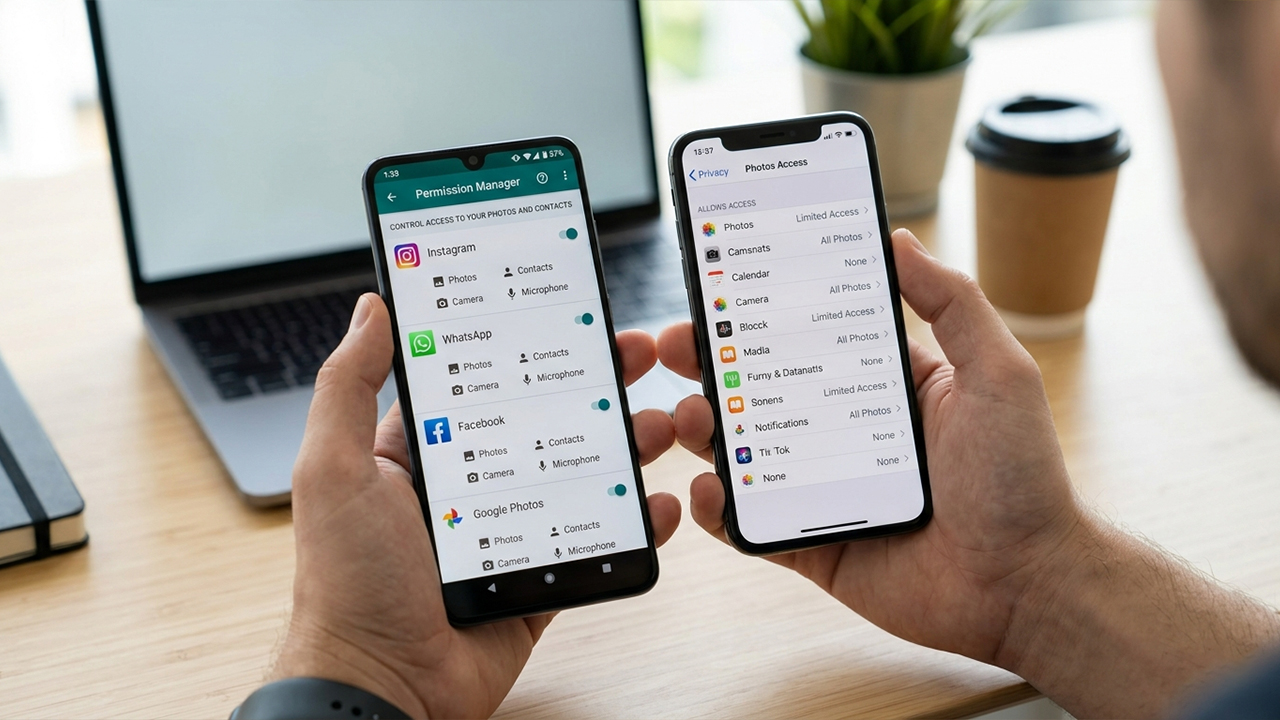
For this article, the evaluation focused on apps that genuinely exist today on either the Apple App Store or Google Play Store and help individuals monitor, review, audit, or manage app permissions related to photos, contacts, and other personal data. Every app listed is currently available and actively maintained. Pricing models were verified at the time of writing.
After researching the available options, the following tools stand out as the strongest choices for securing greater visibility and control over app permissions.
Unlike many permission-management tools that focus strictly on device-level Android settings, MyPermissions takes a broader approach.
The evaluation revealed that its primary strength lies in auditing which third-party applications have access to online accounts and connected services. The software scans supported platforms and highlights services that still retain access to personal information long after individuals have forgotten they authorized them.
While this tool does not directly replace Apple's built-in photo and contact permission controls, it excels at identifying apps and services that may still have access to personal data through connected accounts. The software also provides alerts when new services gain access to supported accounts. (App Store)
Available on iOS
Easy-to-understand permission reports
Useful for cleaning up old connected apps
Supports multiple online platforms
Real-time monitoring available
Focuses more on account permissions than device permissions
Not a complete replacement for iOS privacy settings
Some advanced monitoring features require purchases
iPhone owners who want visibility into which external apps and services have access to personal data.
Availability: Android
Pricing: Free with ads and in-app purchases.
Among Android-specific permission tools, App Permission Manager ranks as one of the most comprehensive options.
The most useful aspect of this software is its permission-centric view. Instead of requiring the inspection of applications one at a time, the interface allows individuals to select a specific permission category—such as contacts, storage, camera, or microphone—and immediately see every installed app that holds that access.
This layout makes it significantly easier to identify apps that may have unnecessary access to photos or contacts. Furthermore, the application categorizes permissions by risk level and provides historical tracking of permission activity. According to its Play Store listing, it can help individuals review and revoke permissions through Android's accessibility framework and permission settings.
Permission-based organization is excellent
Shows apps with access to sensitive data
Risk categorization helps prioritize reviews
Tracks permission activity history
Large install base on Google Play
Contains ads
Interface feels somewhat technical
Accessibility permissions may concern some users
Android users who want a dedicated permission-auditing dashboard.
Availability: Android
Pricing: Free. Contains ads.
Permission Manager Dashboard takes a simpler, more streamlined approach than many competitors.
The standout feature of this tool is its permission-group analysis. Instead of requiring individuals to inspect dozens of applications individually, the app can display all apps using a specific permission category. For example, a quick glance reveals every app currently holding contact access or storage access.
The software also provides visibility into recently used permissions and recently active apps, which helps identify software that may be accessing sensitive information more frequently than expected.
Straightforward interface
Useful permission-group reporting
Recently-used permission tracking
Good option for casual users
Free to install
Fewer advanced tools than premium competitors
Ad-supported
Smaller user base compared with leading Android privacy apps
Individuals who want a lightweight permission overview without a steep learning curve.
Availability: Android
Pricing: Free download with in-app purchases.
This is arguably the most powerful tool on the list, though it is also the least beginner-friendly.
App Ops exposes Android's underlying App Operations system, providing advanced permission management capabilities beyond what is typically visible in standard Android settings.
The analysis showed that it offers significantly deeper control than most permission-auditing tools. However, many advanced functions require an ADB setup or elevated permissions, making it better suited to power users than casual smartphone owners. For individuals comfortable with Android customization, the amount of control available is impressive.
Extremely granular permission controls
Popular among Android enthusiasts
Supports non-root setups with ADB
Multi-user and work-profile support
Advanced auditing capabilities
Not beginner-friendly
Requires technical setup for many features
Can feel overwhelming
Android power users who want maximum control over permission behavior.
Availability: Built directly into modern Android and iOS devices.
Pricing: Free.
A comparison of third-party solutions reveals a clear conclusion: the best permission-management tool for many individuals is already built into the operating system.
Android's Privacy Dashboard provides a timeline showing which apps accessed sensitive permissions such as contacts, camera, microphone, and location, making it easier to spot unexpected activity. Samsung devices offer similar functionality through their own integrated permissions dashboard.
On the iOS side, Apple has continued expanding granular permission controls. Modern versions of iOS allow individuals to grant limited photo access instead of exposing an entire library, helping reduce unnecessary access to personal photos. Discussions among iOS users and developers also highlight that photo selection can occur through Apple's system picker without granting full library access.
In real-world scenarios, these built-in controls remain the most reliable and safest place to review access to photos and contacts.
Built into the operating system
No ads
No subscriptions
Directly supported by Apple and Google
Most accurate permission information available
Less reporting than some third-party tools
Android implementations vary by manufacturer
Virtually everyone.
For most Android users, App Permission Manager (o16i Apps) earns the top recommendation. It strikes the best balance between usability and depth, making it easy to identify exactly which apps can access sensitive categories like photos, storage, and contacts while avoiding the complexity of more advanced tools.
For iPhone users, MyPermissions Privacy Cleaner stands as the strongest dedicated privacy-audit app currently available, particularly for reviewing third-party access to connected accounts and services.
That said, the overall winner remains the native permission infrastructure provided by Apple and Google. Modern iOS and Android versions now offer surprisingly granular controls, including limited photo access on iPhone and detailed permission timelines on Android. Third-party apps can add visibility and reporting, but the operating system remains the ultimate source of truth for deciding exactly which apps can see photos, contacts, and other personal information.