

When an evaluation team installed over two dozen skill-building platforms last month, a frustrating trend became immediately apparent. Most productivity software is not actually built to handle the logistics of learning a complex professional skill. These applications often throw a few generic tips at the screen, flash a brief confetti animation when a user checks a box, and call it a day.
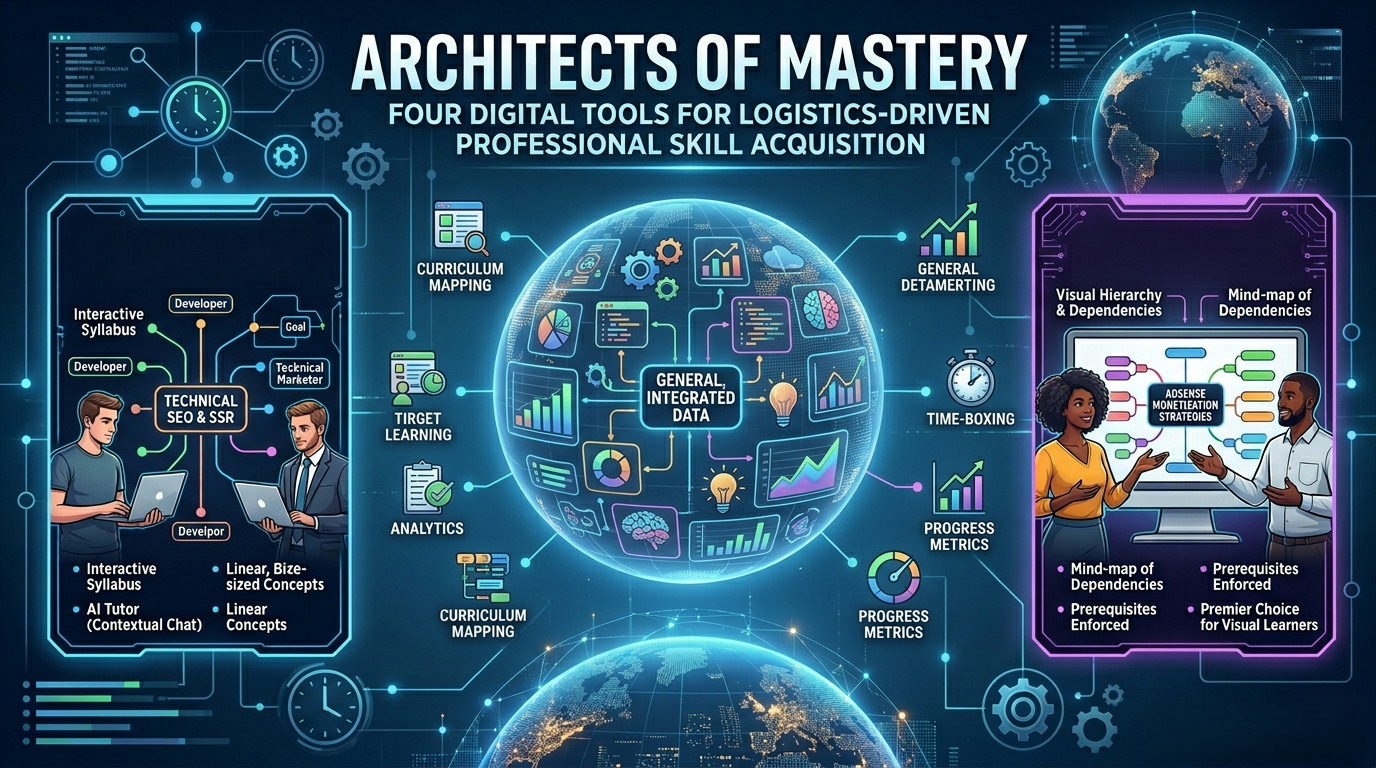
That simply does not work in a professional environment. For a digital marketer mapping out an advanced E-E-A-T compliance strategy, or an SEO specialist trying to master Python data libraries to automate technical audits, motivational quotes are useless. The process requires logistics—a platform that breaks down an intimidating subject into micro-tasks, tracks the unglamorous hours of actual study time, and dynamically adjusts timelines when a busy schedule inevitably derails.
Tech journalists spent weeks evaluating the current landscape of goal-tracking and skill-mapping software on both the Apple App Store and Google Play. Stripping away the fluff, the evaluation looked strictly for tools that manage the fundamental process of learning. The goal was to identify applications that handle the heavy lifting of curriculum planning, time-boxing, and milestone tracking so professionals can focus entirely on execution.
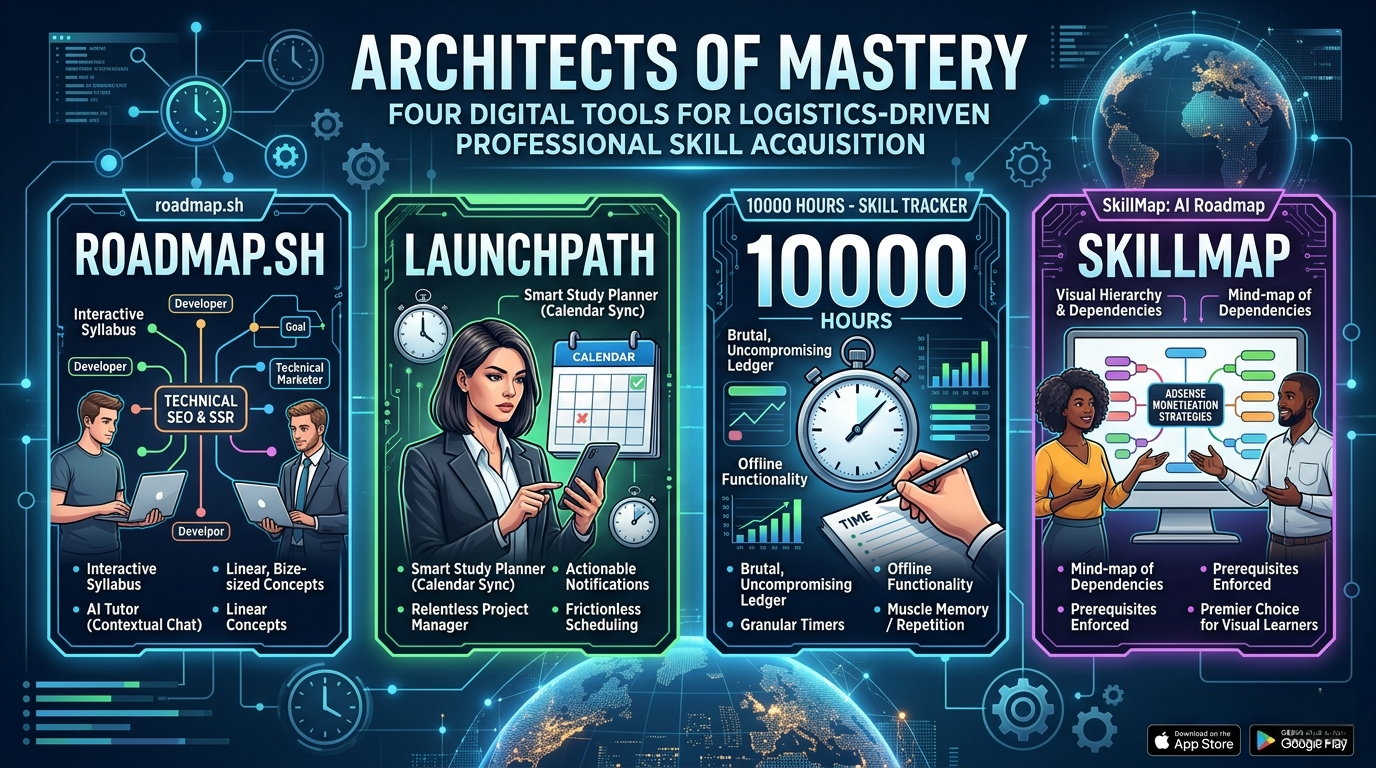
Here are the four applications that actually deliver on that promise.
Availability: iOS
Pricing Model: Free core features / Roadmap Pro ($14.00/month or $129.00/year)
Originating from the legendary open-source developer community, roadmap.sh recently launched its dedicated mobile application, and it immediately establishes itself as the heavyweight champion for technical professionals. When reviewers stress-tested the app by asking it to generate a learning path for "Technical SEO and Server-Side Rendering," the AI tutor did not just spit out a Wikipedia summary. It generated a highly structured, step-by-step visual node map.
The core feature that actually works here is the sheer depth of the structural breakdown. The app translates massive, amorphous goals into linear, bite-sized concepts. It acts as an interactive syllabus where users can tap into individual nodes—say, "Understanding the DOM"—and instantly access curated explanations, AI-generated step-by-step guides, and a chat interface to clarify confusing concepts. It tracks exactly where a user is in the macro-journey, completely eliminating the paralysis of deciding what to study next.
Pro - Unmatched Depth: The curriculum generation is incredibly specific, especially for tech, marketing, and developer roles.
Pro - Built-in AI Tutor: The contextual chat function acts as a sounding board when learners hit a wall on a specific sub-topic.
Pro - Progress Persistence: Visually crossing off nodes provides a genuine, earned sense of momentum.
Con - Intimidating UI: The sheer volume of information on screen can feel overwhelming on a smaller iPhone; it is vastly superior on an iPad.
Con - Premium Paywall: The heavy reliance on the AI tutor for deep-dive explanations requires the $14/month subscription.
roadmap.sh is the absolute best app for individuals who need rigid, structured curriculums for complex, technical subjects. If a goal requires a textbook's worth of knowledge, this app writes the textbook and forces the user to read it chapter by chapter.
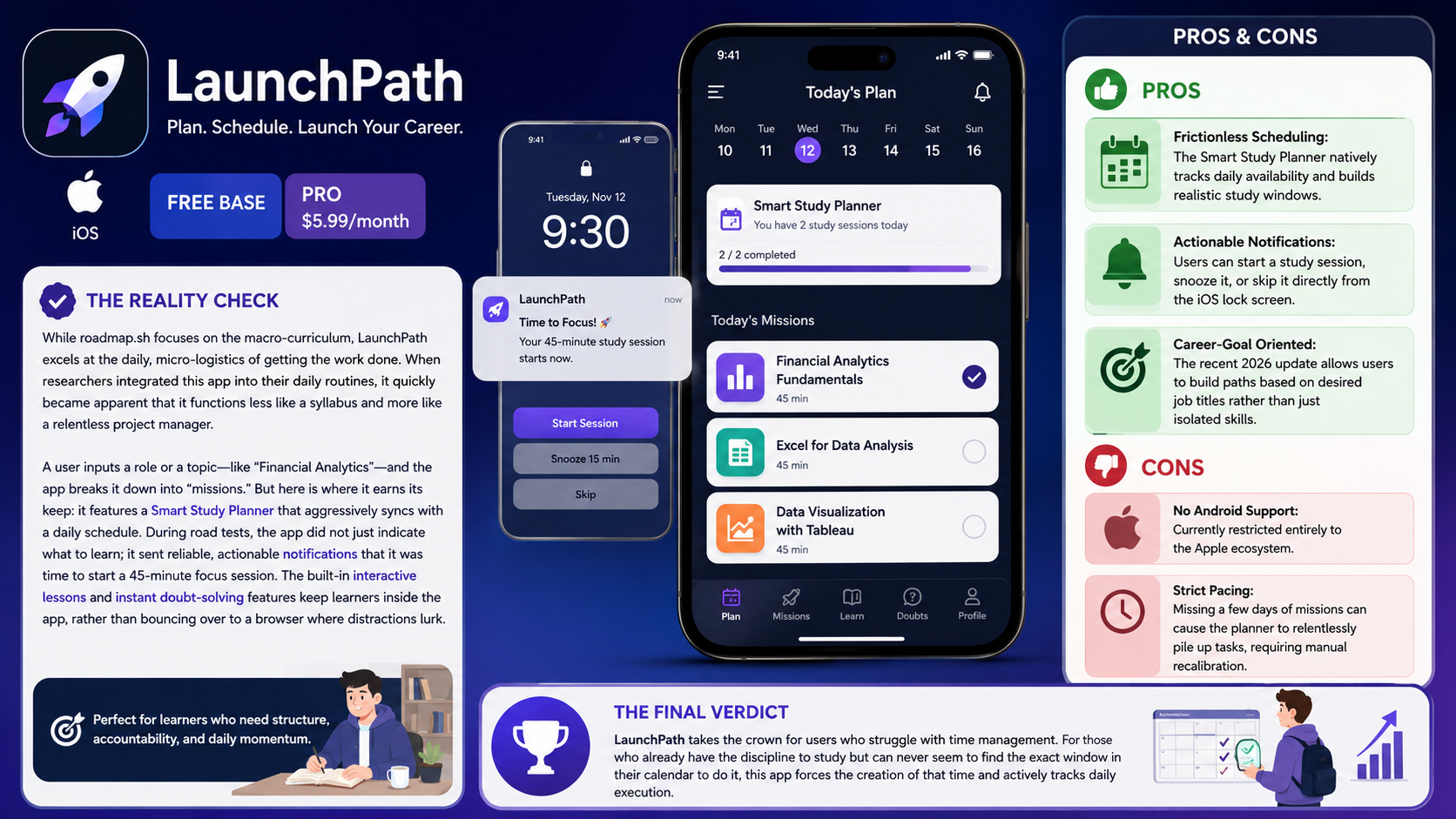
Availability: iOS
Pricing Model: Free base / Pro Subscription ($5.99/month)
While roadmap.sh focuses on the macro-curriculum, LaunchPath excels at the daily, micro-logistics of getting the work done. When researchers integrated this app into their daily routines, it quickly became apparent that it functions less like a syllabus and more like a relentless project manager.
A user inputs a role or a topic—like "Financial Analytics"—and the app breaks it down into "missions." But here is where it earns its keep: it features a Smart Study Planner that aggressively syncs with a daily schedule. During road tests, the app did not just indicate what to learn; it sent reliable, actionable notifications that it was time to start a 45-minute focus session. The built-in interactive lessons and instant doubt-solving features keep learners inside the app, rather than bouncing over to a browser where distractions lurk.
Pro - Frictionless Scheduling: The Smart Study Planner natively tracks daily availability and builds realistic study windows.
Pro - Actionable Notifications: Users can start a study session, snooze it, or skip it directly from the iOS lock screen.
Pro - Career-Goal Oriented: The recent 2026 update allows users to build paths based on desired job titles rather than just isolated skills.
Con - No Android Support: Currently restricted entirely to the Apple ecosystem.
Con - Strict Pacing: Missing a few days of missions can cause the planner to relentlessly pile up tasks, requiring manual recalibration.
LaunchPath takes the crown for users who struggle with time management. For those who already have the discipline to study but can never seem to find the exact window in their calendar to do it, this app forces the creation of that time and actively tracks daily execution.
Availability: Android
Pricing Model: Free (Contains Ads) / In-App Purchases for Premium features
Sometimes an AI is not needed to hold a learner's hand and explain concepts. Sometimes what is required is a brutal, uncompromising ledger to track the sheer volume of time put into a craft. Based on the popular (albeit debated) Malcolm Gladwell concept that mastery requires 10,000 hours of deliberate practice, this Android application is purely about logging the grind.
When evaluators used this for offline skill development, the platform was noted for its sheer simplicity. Users create a skill, set a target of how many hours they want to practice per day or week, and the app calculates the exact calendar date mastery will be achieved. It features a built-in stopwatch to track live sessions and generates beautiful, albeit minimalist, statistical graphs of performance over the last 14 days. It is essentially a timesheet for personal ambitions.
Pro - Unyielding Accountability: Watching the progress bar slowly creep toward 10,000 hours is a sobering reminder of what mastery actually requires.
Pro - Granular Timers: The integrated stopwatch and timer functionality mean users are not guessing how long they worked; they have the receipts.
Pro - Offline Functionality: Completely functional without an internet connection, storing data securely on the local device.
Con - Unnecessary Gamification: The app includes superfluous features like dressing up a character in a jazz suit, which feels fundamentally at odds with the serious nature of professional skill tracking.
Con - Android Only: iOS users are entirely left out of this specific interface.
For the uncompromising grinder, this is the tool of choice. If learning a skill requires muscle memory, repetition, or sheer volume of practice—like mastering a new coding language syntax or learning video editing software—10000 Hours provides the cold, hard data on exactly how much effort is actually being exerted.
Availability: iOS
Pricing Model: Free / VIP Subscriptions
SkillMap sits comfortably between the rigid technicality of roadmap.sh and the daily task-mastering of LaunchPath. What stood out immediately during hands-on testing was the visual interface. When fed a broad query like "AdSense Monetization Strategies," it generated a clean, highly interactive mind-map of dependencies.
The software maps out exactly which concepts act as prerequisites for others. A user cannot understand advanced yield management until basic ad unit placements are mastered, and the app visually enforces that hierarchy. Tapping into any specific node pulls up curated learning resources and descriptions. It completely eliminates the problem of studying out of order, which is the fastest way to become demoralized when tackling a massive new professional domain.
Pro - Visual Hierarchy: The interactive nodes make it incredibly easy to see the relationship between micro-skills and the macro-goal.
Pro - Zero Data Collection: A rarity in 2026, the developer explicitly collects zero data from the app, making it excellent for privacy-conscious users.
Pro - Broad Application: Works just as well for abstract concepts (like Psychology) as it does for technical skills (like UI/UX Design).
Con - Resource Curation Varies: While the map generation is stellar, the actual learning resources linked within the nodes can sometimes feel a bit generic.
Con - UI Clutter: Navigating large, sprawling maps on an iPhone screen can require a frustrating amount of pinching and zooming.
SkillMap is the premier choice for visual learners and career-switchers. For those staring down a massive professional pivot who need to see the entire battlefield laid out before them, this app provides the most elegant, visually digestible battle plan on the market.
If the goal is to seriously level up professional capabilities in 2026, generic habit trackers simply will not cut it.
For technical professionals, developers, and marketers looking to map out highly complex, multi-tiered subjects, roadmap.sh is the undisputed heavy hitter. It handles the cognitive load of curriculum design. However, if the primary obstacle is simply finding the time to sit down and do the work, LaunchPath provides the daily logistical scaffolding required to turn an ambitious plan into executed hours. The most effective approach is to choose the tool that solves the specific learning bottleneck, and get back to the grind.